
Deleting a project
Delete a project you no longer sell, with everything that was read for it.
Deleting can't be undone. If you only want to take out one document or website, remove that source instead. See Sources.
Delete it
Open the project from Knowledge.
Click … (More actions), then Delete this project….
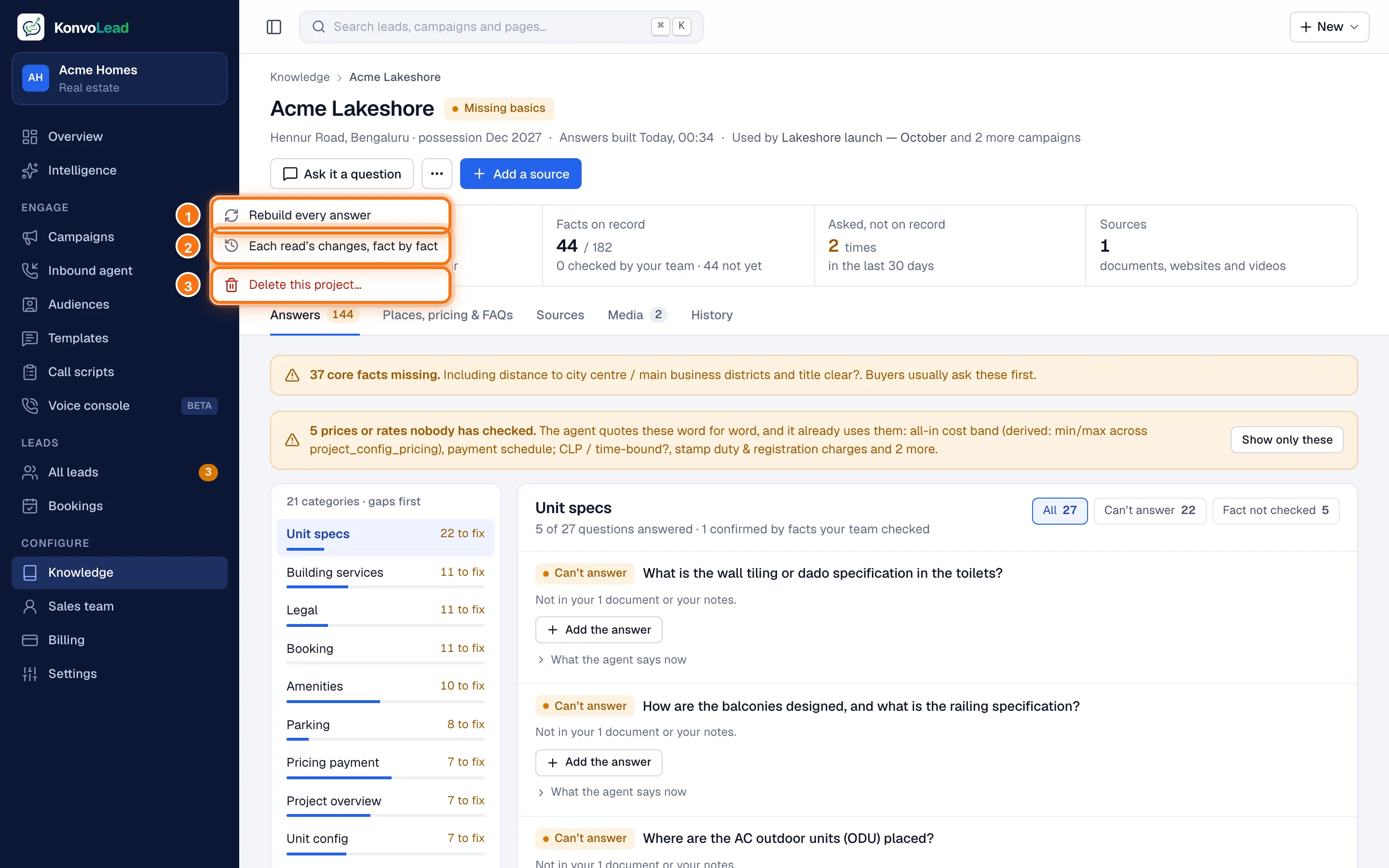
A window shows exactly what goes and what's kept before anything happens. Read it, then click Delete project.
You're taken back to the Knowledge page.
What the window tells you
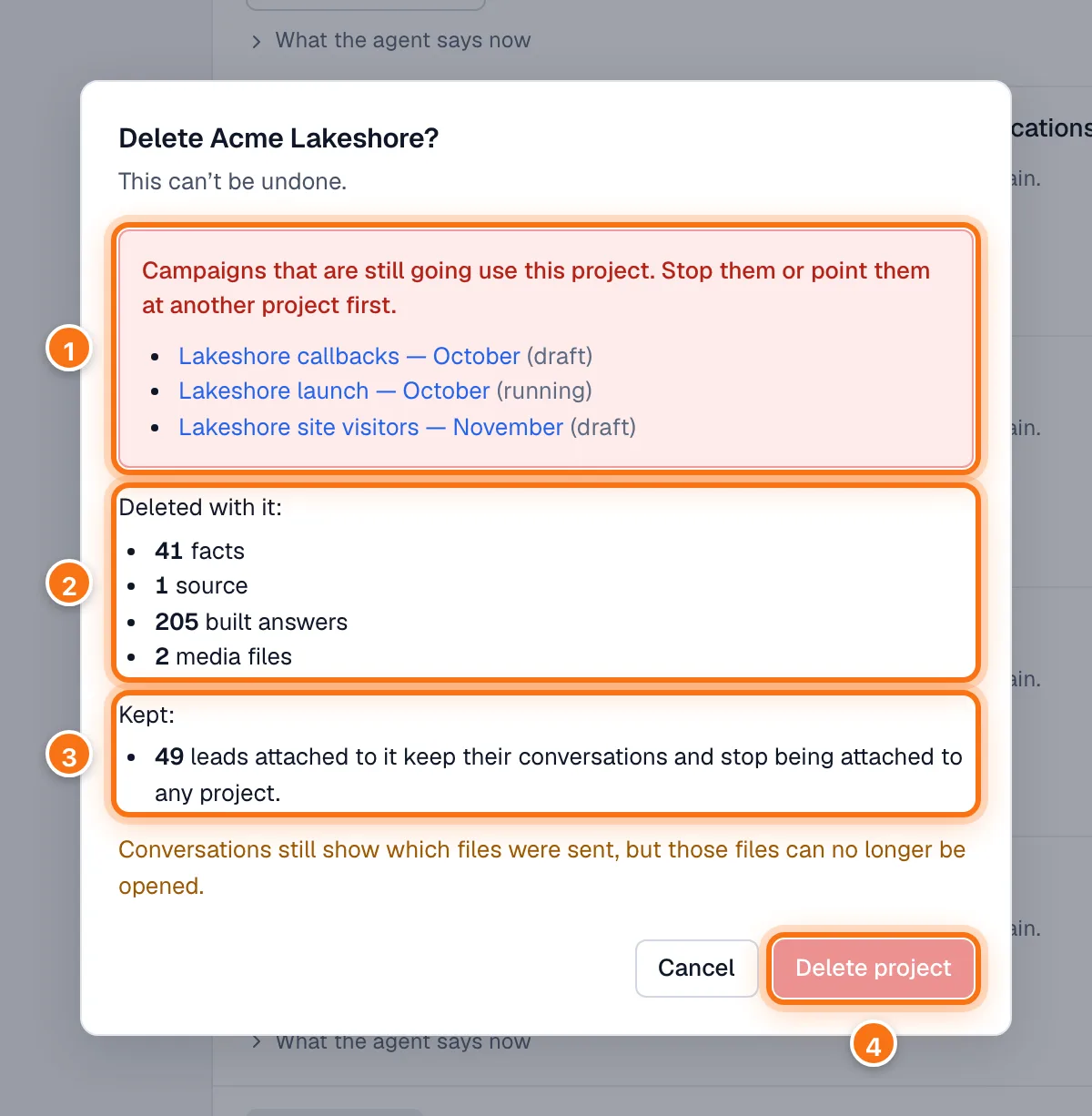
- Campaigns that are still going use this project. You can't delete a project while a campaign that is running, scheduled, paused or still a draft uses it. Stop each campaign, or point it at another project, first. Click a campaign's name to open it.
- Deleted with it: its facts, its sources and their files, its built answers, and its media files.
- Kept: leads attached to it keep their conversations and stop being attached to any project. Finished campaigns keep their results and show no project.
- Delete project stays greyed out until nothing is in the way.
Two more things it may say:
- If the project has media files, conversations that were sent them still show which files went, but the files can no longer be opened.
- If your Inbound agent covers only this project, it covers none after you delete it, until you choose projects on Inbound agent. If it covers this project among others, the project is simply taken off its list.