
What the agent can answer
See which common buyer questions the agent can answer for a project, answer the ones it can't, and see exactly what it would say.
How it works
For each kind of business, KonvoLead keeps a list of the questions buyers usually ask: about 200 for a real-estate project. For each one, it prepares the agent's answer in advance from your knowledge, so the agent can reply in a second. The project's Answers tab shows every one of them.
The numbers at the top of the project's page sum it up: Questions it can answer (out of the total), how many are confirmed by a fact your team checked, and how many it can't answer yet.
The Answers tab
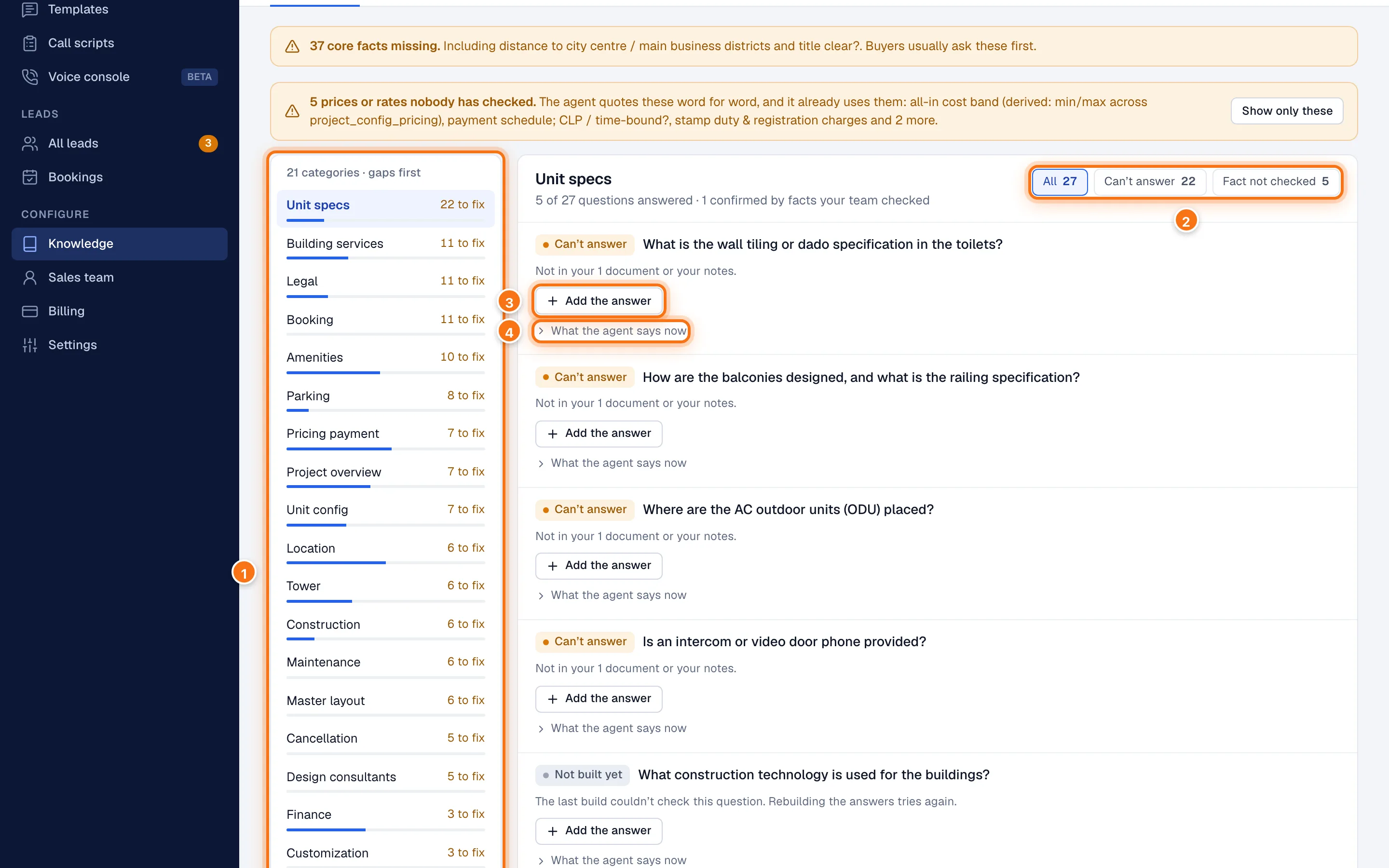
- Categories, with the ones that need the most work first. Each shows how many questions it can't answer yet (N to fix), or All set.
- Show All questions in the category, only those it Can't answer, or only those whose Fact not checked.
- Add the answer under a question it can't answer. See below.
- What the agent says now shows the exact text the agent draws on for that question.
Further down the left side, Asked, not on record lists questions real buyers asked in the last 30 days that weren't on record, so the agent passed them to your team. See every unanswered question opens the full list on Intelligence.
What each question's label means
| Label | Meaning | What to do |
|---|---|---|
| Answered · confirmed | Answered, and matched against a fact your team checked. | Nothing. |
| Answered · fact checked | Answered, and the fact is checked. It's confirmed when the answers next rebuild. | Nothing. |
| Answered · fact not checked | Answered from a fact nobody has checked yet. | Check the fact. See Checking facts. |
| Answered from your sources | Answered from the text of your documents or website, with no single fact behind it. | Nothing to check. You can add the fact so your team can check it. |
| Can't answer | Nothing on record answers it. The agent says a colleague will confirm. | Add a source that covers it, or Add the answer. |
| Not built yet | The answer hasn't been prepared yet. | Usually fills in after the next rebuild. |
Answer a question yourself
When a question says Can't answer, you can type the answer in place.
Click Add the answer under the question.
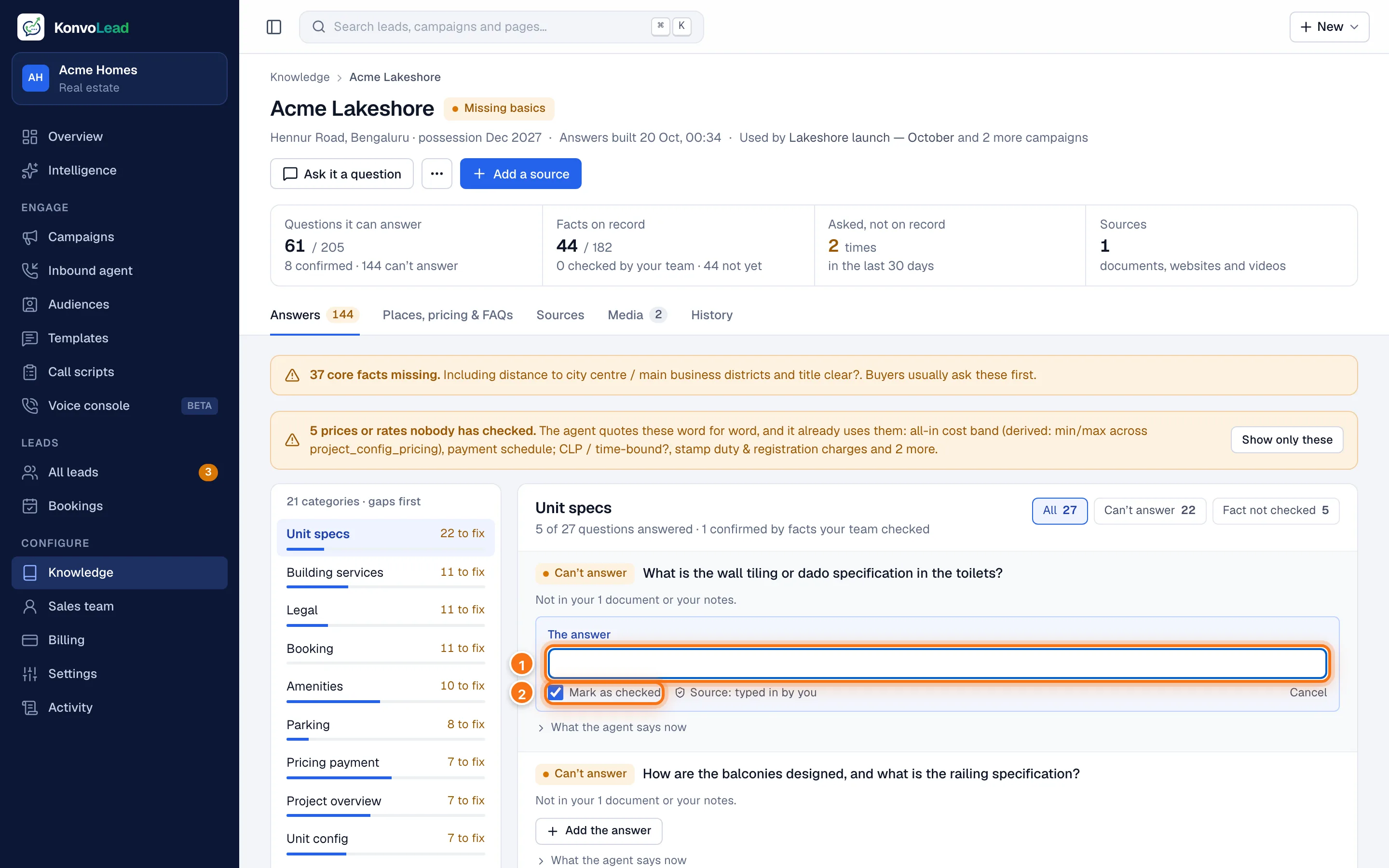
Type the answer (1).
Mark as checked (2) is ticked, since you're typing what you know to be true. Untick it if you're not sure yet.
Click Save and rebuild these answers at the bottom of the list.
The answer is saved as typed in by your team, and the agent uses it once that category's answers rebuild, in about a minute.
When a question is about a place nearby (a school, a hospital, a mall, an office park), the button says Add a place nearby and takes you to the Places, pricing & FAQs tab.
Try it
Ask it a question at the top of the project's page shows what the agent would reply to any question, from what's on record now. Nothing is saved and no buyer sees it. See How the agent answers.
Rebuilding the answers
Answers rebuild by themselves whenever the knowledge changes: a source is read or removed, or you save a change to a fact. You rarely need to do it yourself.
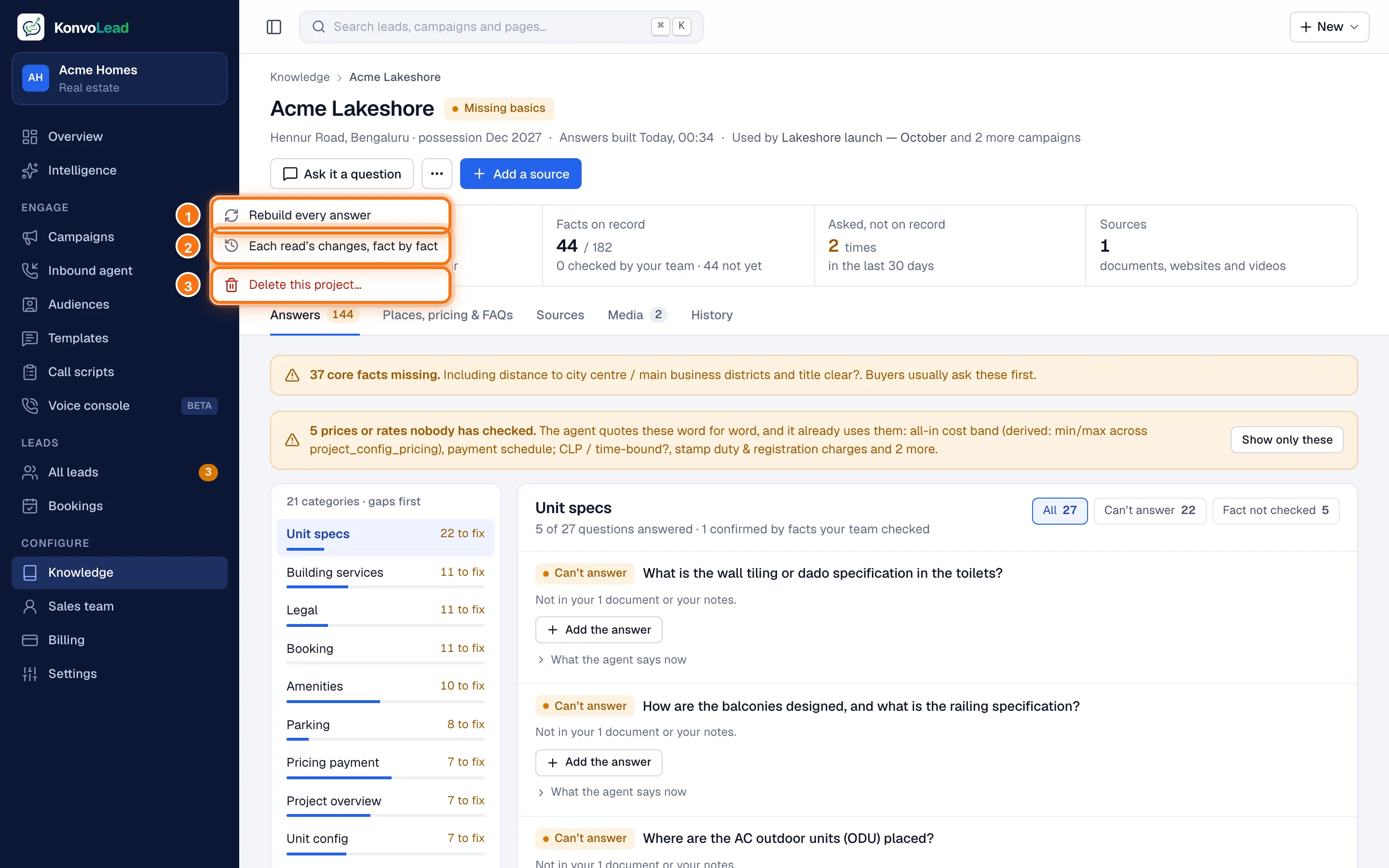
To rebuild every answer by hand, click … (More actions), then Rebuild every answer (1). It takes a couple of minutes, and the page updates when it's done.
While answers are being rebuilt, and before they're first built, the agent still answers. It looks each question up instead, which is correct but slower.
Messages you might see
- A source was removed, so the saved answers were withdrawn and are being rebuilt. Normal after removing a source. Wait a few minutes.
- The last rebuild of the answers didn't finish. The answers from before are still in use. Click Rebuild every answer to try again. If it keeps happening, contact support.
- There's no question set for this line of business yet. KonvoLead doesn't have a list of buyer questions for this kind of product yet. The agent still answers every question by looking it up, and the facts on record are listed by category.
Why the numbers differ
Facts on record counts facts; Questions it can answer counts questions. Some facts aren't asked about directly, and some questions are answered from the text of your documents rather than one fact. So the two numbers won't match, and that's expected.