
Settings
Your account-wide choices: business hours, how often campaigns may reach the same person, what new campaigns start with, call recording, and who can sign in.
Open Settings in the menu, under Configure.
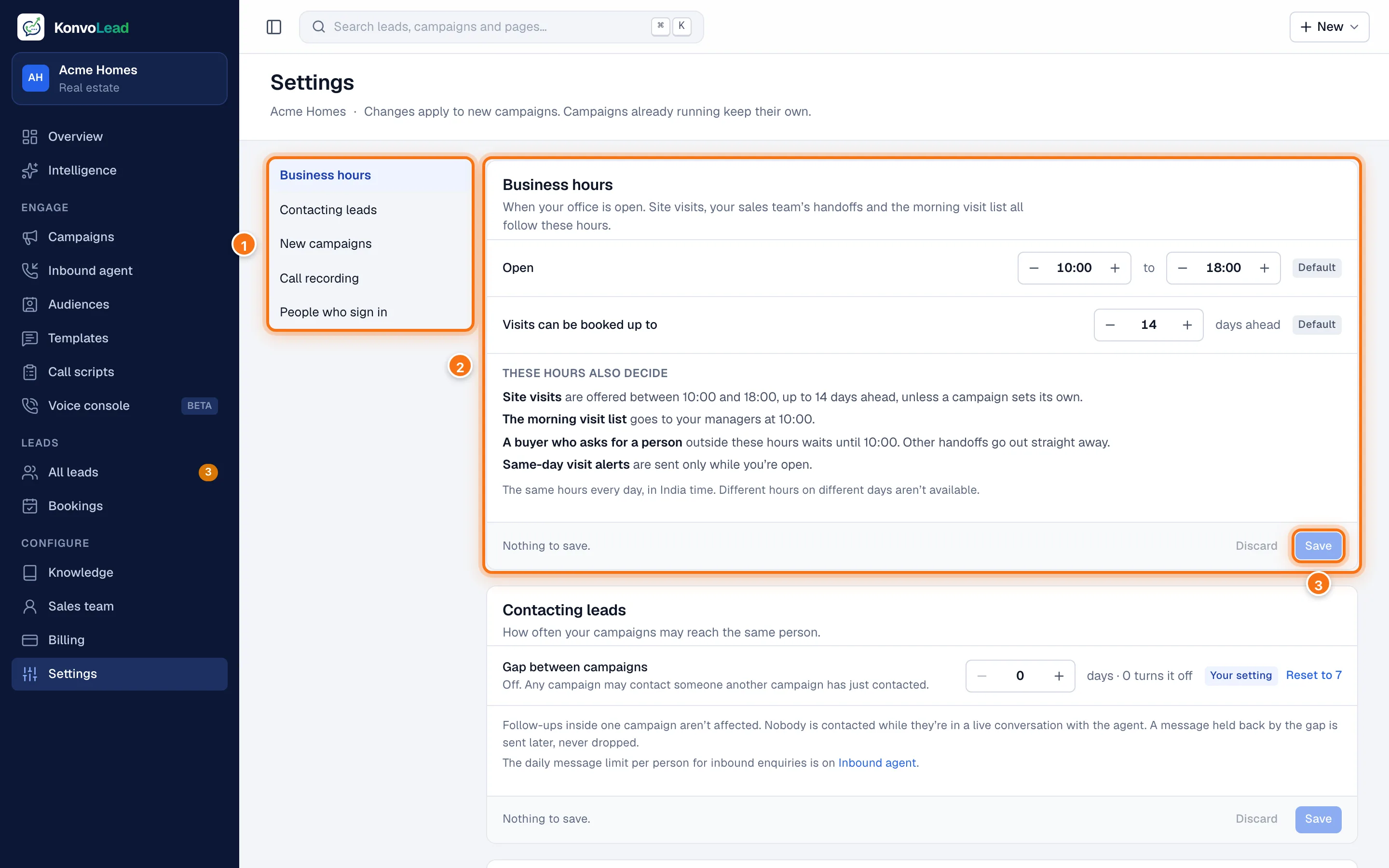
- The sections. Click one to jump to it.
- Business hours. See below.
- Each section has its own Save and Discard, so a mistake in one never stops you saving another. "Nothing to save" means there's nothing changed in that section.
Changes apply to new campaigns. Campaigns already running keep their own settings.
Business hours
When your office is open, India time, the same every day:
- Open from and to.
- Visits can be booked up to so many days ahead.
These hours also decide:
- when site visits are offered, unless a campaign sets its own;
- when the morning visit list goes to your managers (at opening time);
- that a buyer who asks for a person outside these hours waits until opening time, while other handoffs go out straight away;
- that same-day visit alerts are sent only while you're open.
Different hours on different days aren't available.
Contacting leads
How often your campaigns may reach the same person.
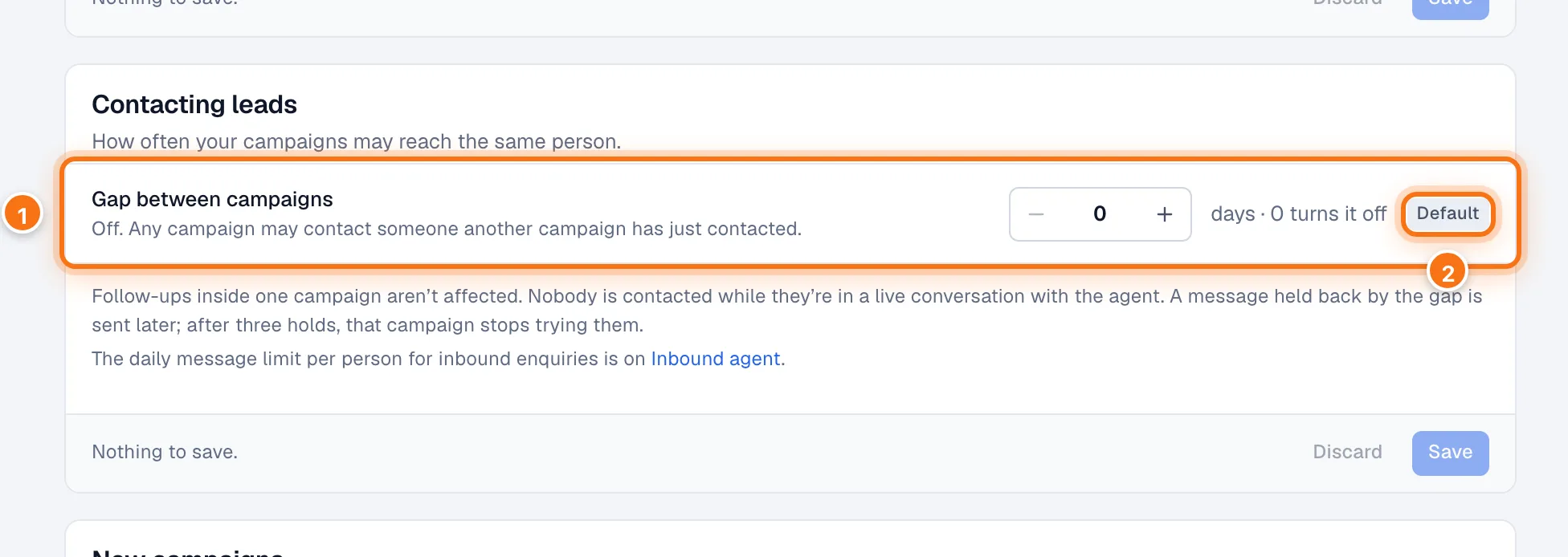
- Gap between campaigns: the fewest days before a different campaign may message or call someone another campaign has just contacted. 0 turns it off.
- Default means it's KonvoLead's default, 0. Once you change it, it says Your setting, and Reset to 0 puts the default back.
- Follow-ups inside one campaign aren't affected.
- A message held back by the gap is sent later. After three holds, that campaign stops trying them. See Contact cooldown.
- Nobody is contacted while they're in a live conversation with the agent, whatever this says. See Contact cooldown and the 72-hour conversation hold.
The daily message limit per person for inbound enquiries is on the Inbound agent page.
New campaigns
What every new campaign starts with. You can still change any of them in the campaign itself.
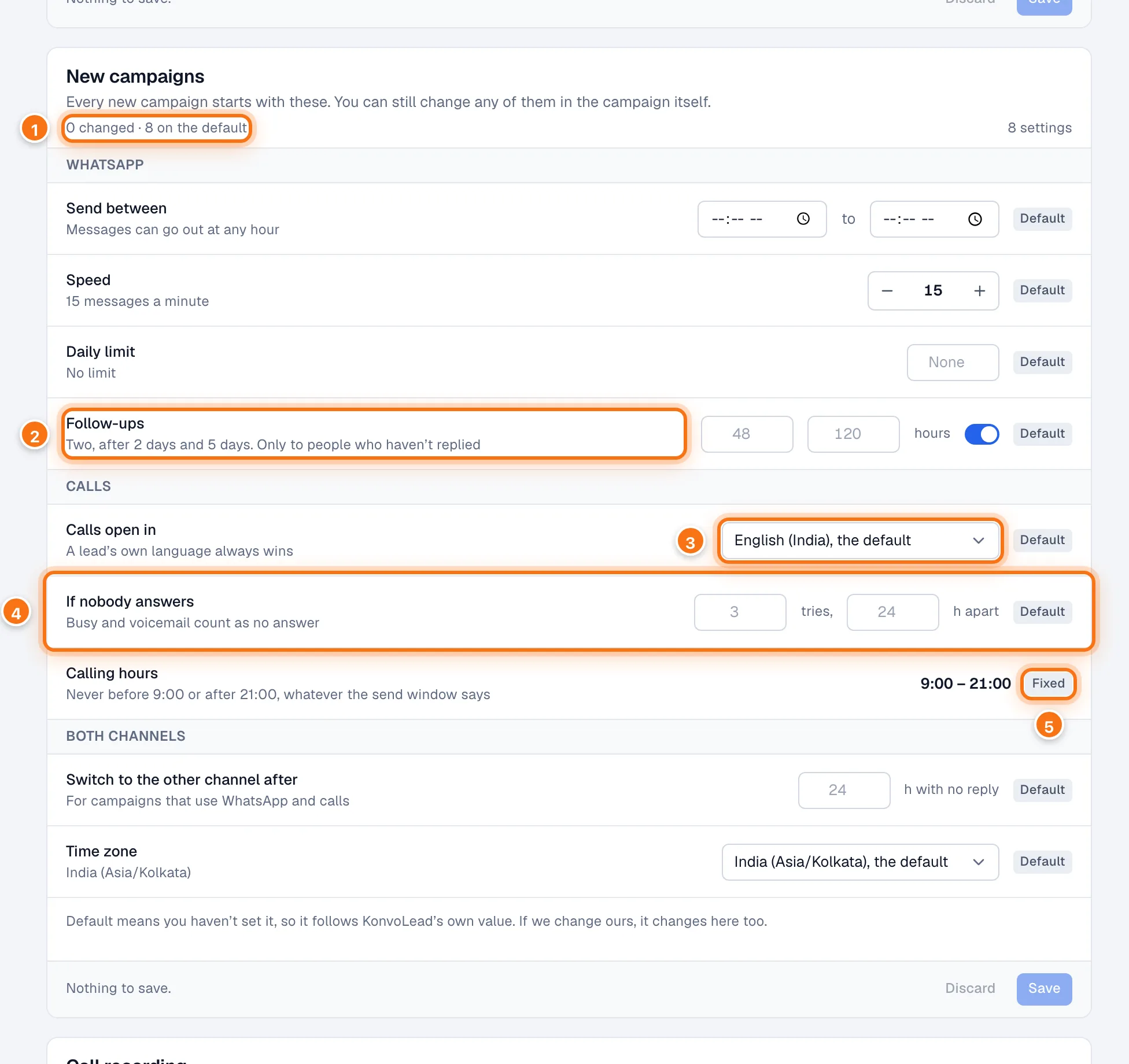
- How many you have changed, and how many are on KonvoLead's default.
- A setting, with what it means now in plain words underneath. Here, Follow-ups: two, after 2 days and 5 days, only to people who haven't replied. Switch it off for no follow-ups.
- Calls open in: the language a call starts in. A lead's own language always wins.
- If nobody answers: how many tries, how many hours apart. Busy and voicemail count as no answer.
- Calling hours are Fixed at 9:00 to 21:00: no call goes out outside them, whatever the send window says.
| Setting | What it does | KonvoLead's default |
|---|---|---|
| Send between (WhatsApp) | The hours of day messages may go out. | Any hour |
| Speed | Messages a minute. | 15 |
| Daily limit | The most a campaign sends in a day. | No limit |
| Follow-ups | When the two follow-ups go, in hours after the first message. | 48 and 120 hours |
| Calls open in | The language a call starts in. | English (India) |
| If nobody answers | Tries, and hours between them. | 3 tries, 24 hours apart |
| Switch to the other channel after | For campaigns that use WhatsApp and calls: hours with no reply before trying the other channel. | 24 |
| Time zone | The time zone the send window is read in. | India (Asia/Kolkata) |
Default beside a setting means you haven't set it, so it follows KonvoLead's own value; if we change ours, it changes here too.
Call recording
Whether phone calls on your number are recorded, in both directions.
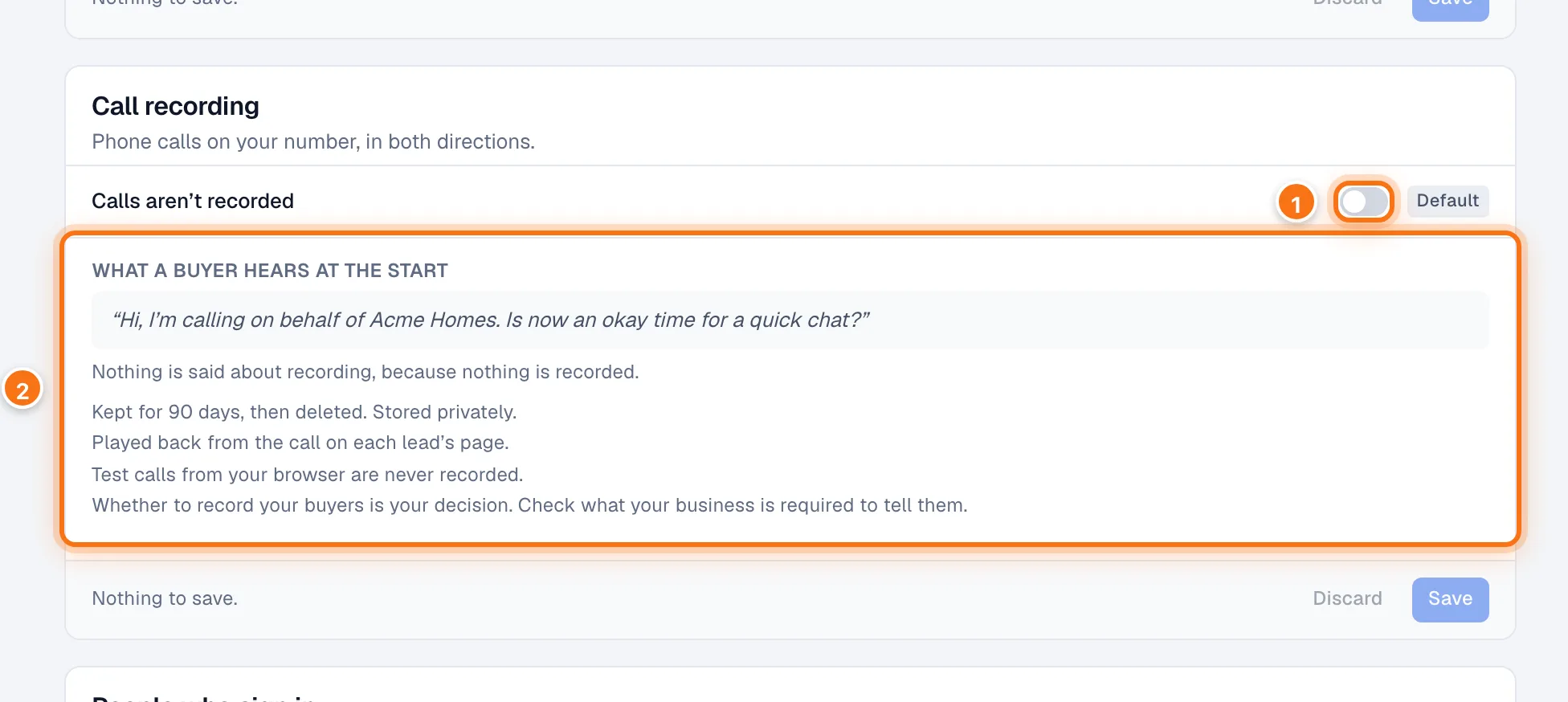
- The switch. Off by default.
- What a buyer hears at the start. With recording on, the agent says "This call is recorded for quality purposes" early in the call, in the call's language.
- Recordings are kept for 90 days, then deleted. They are stored privately.
- Play a recording from the Calls tab on the lead's page.
- Test calls from your browser are never recorded.
Whether to record your buyers is your decision. Check what your business is required to tell them.
People who sign in
Everyone who can use the dashboard for your account, what they can do, and when they last signed in. See Team members and roles. Change password under the list changes your own password: see Change your password.